Why Creators Are Looking Beyond Payhip in 2026
Payhip built its reputation on a genuinely compelling promise: sell digital products for free, forever. No monthly fees. No product limits. No revenue caps. Just a 5% transaction fee on every sale.
For creators making their first $100 online, that promise delivers. You upload a PDF, share the link, and Payhip handles payment and delivery. It's clean, it's simple, and it works.
But here's what happens next — and it's the part Payhip's marketing doesn't emphasize. That 5% fee doesn't shrink as you grow. It scales with you. At $1,000/month in revenue, you're paying $50/month to Payhip. At $3,000/month, that's $150/month — more than Kajabi's Basic plan. And unlike Kajabi, you're not getting a website builder, advanced email automation, or community features for that price.
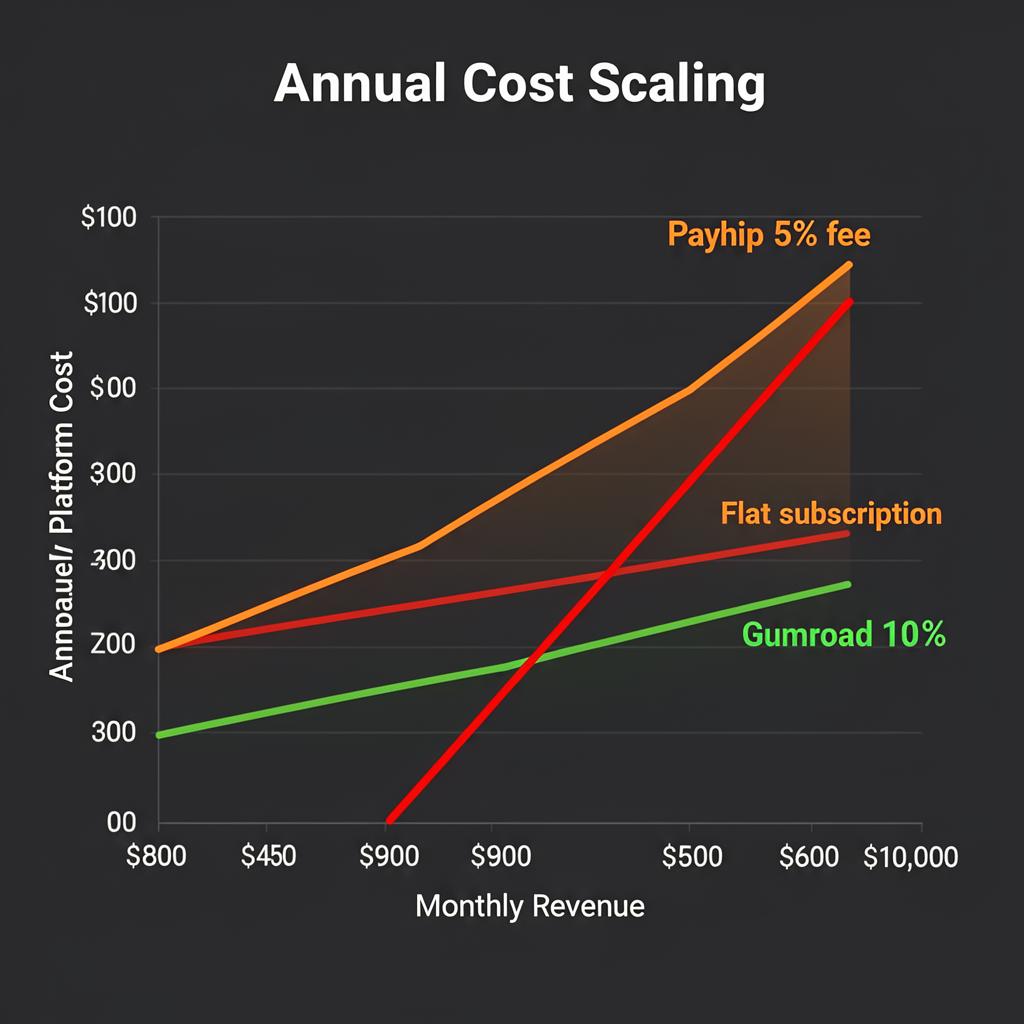
The only way to eliminate the 5% fee on Payhip is the Pro plan at $99/month. There's no $19 plan. No $39 plan. No gradual upgrade path. You're either losing 5% of every dollar or paying $99/month — a pricing gap that forces creators into an uncomfortable decision at exactly the wrong time in their growth.
The Payhip Pricing Cliff
| Revenue Level | Payhip Free (5% fee) | Creastor Creator ($19/mo) | Creastor Pro ($39/mo) |
|---|---|---|---|
| $500/month | $25/mo in fees | $19/mo flat | $39/mo flat |
| $1,000/month | $50/mo in fees | $19/mo flat | $39/mo flat |
| $2,000/month | $100/mo in fees | $19/mo flat | $39/mo flat |
| $3,000/month | $150/mo in fees | $19/mo flat | $39/mo flat |
| $5,000/month | $250/mo in fees | $19/mo flat | $39/mo flat |
The math is unambiguous. The moment you cross $380/month in revenue, Creastor's $19/month plan saves you money compared to Payhip's free tier. Every dollar above that threshold widens the gap.
What Payhip Does Well — An Honest Assessment
Any credible comparison starts with acknowledging strengths. Payhip has real ones.
The Free Plan Is Genuinely Free
Unlike platforms that limit features behind paywalls, Payhip gives every user access to every feature on the free plan. Courses, memberships, digital downloads, coaching, physical products, coupons, affiliates — it's all available at $0/month. The only trade-off is the 5% transaction fee.
This is rare in the creator economy and deserves recognition. Most "free" plans restrict you to a handful of products or withhold critical features like email capture or promo codes.
EU VAT Handling
Payhip automatically handles EU VAT calculations, collection, and remittance. For creators selling to European customers, this eliminates a genuine compliance headache. If you sell primarily to international audiences and don't want to deal with VAT yourself, this is a legitimate advantage.
Simple Product Setup
Getting a product listed on Payhip takes minutes. Upload your file, set your price, write a description, and you have a shareable product link. The interface is clean and doesn't overwhelm new sellers with options they don't understand yet.
Marketplace Discovery
Payhip operates a built-in marketplace where buyers can discover products. While the traffic volume is modest compared to platforms like Etsy, it provides a small stream of organic discovery that purely storefront-based platforms don't offer.
Where Payhip Falls Short
1. The Pricing Gap Problem
This is Payhip's most significant structural weakness. The jump from Free (5% fee) to Pro ($99/month, 0% fee) is enormous. For creators in the $500–$3,000/month revenue range — which describes the vast majority of growing creators — neither option is ideal.
On free, you're bleeding fees. On Pro, you're overpaying for the privilege of keeping your own revenue. There's no $19/month or $39/month middle ground.
Creastor solves this with three tiers: Free (5% fee), Creator ($19/month, 0% fees), and Pro ($39/month, 0% fees + advanced features). You upgrade when it makes financial sense, not when the platform forces you into a binary choice.
2. No Link-in-Bio Storefront
Payhip gives you product pages and a basic store page. What it doesn't give you is a mobile-first, link-in-bio storefront designed for social media traffic.
In 2026, the majority of digital product sales originate from Instagram, TikTok, YouTube, and Twitter bios. Buyers tap a link, see your products, and purchase — often within 60 seconds. This requires a storefront specifically designed for that mobile-first, impulse-driven flow.
Payhip's store pages work, but they're not optimized for this use case. They feel like e-commerce pages, not social commerce experiences. The difference in conversion rates is measurable.
3. Weak SEO Infrastructure
Payhip product pages have minimal SEO optimization. There's no structured data (JSON-LD), limited meta tag control, and the pages aren't designed to rank on Google. Your products exist behind Payhip's domain, not yours.
This means your entire acquisition strategy depends on social media and direct traffic. You're leaving organic search — the most valuable, most sustainable traffic source — on the table.
Creastor generates fully SEO-optimized product pages with proper schema markup, semantic HTML, customizable meta descriptions, and indexable content. Your products can rank for searches like "notion budget template" or "lightroom preset pack" — bringing buyers who are actively searching for what you sell.
4. Email Marketing Requires Third-Party Tools
Payhip doesn't have built-in email marketing sequences. You can collect emails, but to send automated follow-up sequences, welcome emails, or launch announcements, you need to connect a third-party tool like Mailchimp, ConvertKit, or MailerLite.
This means:
Creastor includes native email sequences — automated multi-step flows triggered by purchase, signup, or enrollment. One platform, one dashboard, no integration headaches.
5. Basic Course Builder
Payhip offers a course builder, but it's functional rather than polished. The course player is clean, but it lacks:
For creators who occasionally sell a course alongside their digital downloads, Payhip's course builder is adequate. For creators whose primary revenue comes from courses, it's limiting.
6. Limited Storefront Customization
Payhip's store builder offers basic theming — colors, logo, banner image. But the layout options are constrained. You can't create a truly branded storefront experience that feels uniquely yours.
Creastor offers customizable templates with distinct layouts, color palettes, and typography — so your store reflects your brand, not the platform's defaults.
Full Feature Comparison: Payhip vs Creastor
| Feature | Payhip Free | Payhip Pro ($99/mo) | Creastor Free | Creastor Creator ($19/mo) | Creastor Pro ($39/mo) |
|---|---|---|---|---|---|
| Transaction fee | 5% | 0% | 5% | 0% | 0% |
| Digital downloads | ✅ Unlimited | ✅ Unlimited | ✅ Unlimited | ✅ Unlimited | ✅ Unlimited |
| Course builder | ✅ Basic | ✅ Basic | ✅ Full | ✅ Full | ✅ Full |
| Memberships | ✅ | ✅ | ✅ | ✅ | ✅ |
| Bio link storefront | ❌ | ❌ | ✅ | ✅ | ✅ |
| SEO-optimized pages | ❌ | ❌ | ✅ | ✅ | ✅ |
| Email sequences | ❌ (integrations) | ❌ (integrations) | ✅ | ✅ | ✅ |
| Promo codes | ✅ | ✅ | ✅ | ✅ | ✅ |
| Affiliate program | ✅ | ✅ | ✅ | ✅ | ✅ |
| EU VAT handling | ✅ | ✅ | ❌ | ❌ | ❌ |
| Marketplace | ✅ | ✅ | ❌ | ❌ | ❌ |
| Age gating | ❌ | ❌ | ✅ | ✅ | ✅ |
| Custom domain | ❌ | ✅ | ✅ | ✅ | ✅ |
| Order bumps | ❌ | ❌ | ✅ | ✅ | ✅ |
| Sales funnels | ❌ | ❌ | ✅ | ✅ | ✅ |
Who Should Stay on Payhip
Payhip remains a reasonable choice for a specific creator profile:
If all five of those apply, Payhip serves you well.
Who Should Switch to Creastor
For the majority of creators, Creastor is the stronger platform:
You sell from social media
If your buyers come from Instagram, TikTok, YouTube, or Twitter, Creastor's bio link storefront is purpose-built for that traffic. Mobile-first design, instant checkout, and a product display optimized for social commerce.
You're earning $400+/month
The moment Payhip's 5% fee exceeds $19/month (at ~$380/month in revenue), Creastor's Creator plan saves you money every single month. The savings compound dramatically as you grow.
You want organic search traffic
Creastor's SEO-optimized product pages can rank on Google, bringing buyers who are actively searching for what you sell. Payhip offers no comparable SEO infrastructure.
You want email marketing built in
Native email sequences eliminate the cost and complexity of third-party email tools. Send automated welcome sequences, launch emails, and follow-ups from the same dashboard where you manage your products.
You want a gradual upgrade path
Creastor's three-tier pricing ($0, $19, $39) lets you upgrade when it makes financial sense. Payhip forces a binary choice between 5% fees and $99/month.
The Real-World Cost Comparison
Let's run the numbers for a creator earning $2,500/month selling digital products.
Payhip Free Plan:
Payhip Pro Plan ($99/mo):
Creastor Pro Plan ($39/mo):
Annual savings with Creastor: $1,068–$1,380.
That's money you could invest in better product photography, paid advertising, or simply keep as profit.
How to Migrate from Payhip to Creastor
The migration is straightforward and most creators complete it in under 30 minutes.
Step 1: Export Your Customer Data
Download your customer list and order history from Payhip's dashboard. This gives you your email list for import.
Step 2: Create Your Creastor Store
Sign up for free → and set up your storefront — choose a template, add your branding, and configure your bio link page.
Step 3: Upload Your Products
Recreate your product listings in Creastor. Upload your digital files, write descriptions optimized for search, set your pricing, and add cover images.
Step 4: Set Up Email Sequences
Build your automated email flows in Creastor — welcome sequences, post-purchase follow-ups, and launch announcements. No third-party tool needed.
Step 5: Update Your Links
Replace your Payhip links in your social media bios, email signatures, and any pinned posts. Your new Creastor storefront is now your primary sales channel.