Platform Comparisons
    Pillar Guide

    Best Beacons.ai Alternative in 2026: Why Creators Are Switching to Creastor

    Beacons charges 9% on free plans and $30/month for paid. Creastor gives you a free plan with lower fees, better SEO, and real creator safety features. Here's the honest comparison.

    14 min read

    Why Creators Are Leaving Beacons.ai in 2026

    Beacons.ai entered the creator economy with an ambitious promise: a free, all-in-one link-in-bio platform that does everything. And to their credit, the drag-and-drop page builder is impressive. But as creators start scaling their businesses, the cracks show — and many are comparing alternatives like Stan Store and Creastor.

    Here's what's driving the exodus:
  1. 9% transaction fee on the free plan — The highest among major platforms
  2. Overwhelming page builder — Flexibility is great, but many creators just want something that works out of the box
  3. Shared domain safety risks — The beacons.ai domain has been flagged by social media platforms due to adult content from other users (read more about this problem)
  4. Inconsistent content moderation — Pages removed without warning, policy changes mid-stride
  5. Limited SEO — Your Beacons page is essentially invisible to Google
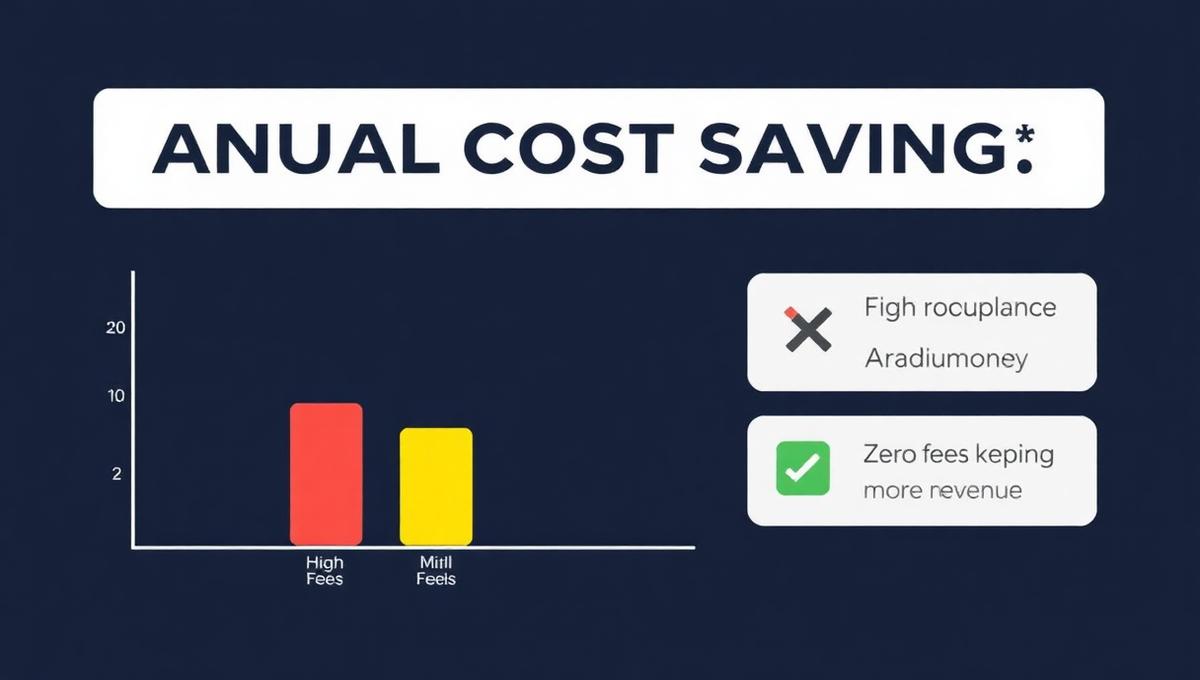
  6. Annual cost comparison between platforms showing fee differences
    Annual cost comparison between platforms showing fee differences

    The Hidden Cost of "Free"

    Beacons' free plan sounds appealing until you do the math. That 9% transaction fee adds up fast:

    Monthly RevenueBeacons Free (9%)Creastor Free (5%)You Save
    $500$45 lost$25 lost$20/mo
    $1,000$90 lost$50 lost$40/mo
    $2,000$180 lost$100 lost$80/mo
    $5,000$450 lost$250 lost$200/mo

    At $2,000/month in sales, you're giving Beacons $180 every month — that's $2,160 per year. On Creastor's free plan, you'd keep $960 more annually. And on Creastor Pro ($19/mo), you'd pay $228/year total with zero transaction fees.

    Feature-by-Feature Comparison

    FeatureCreastorBeacons.ai
    Free plan Yes (5% fee) Yes (9% fee)
    Paid plan price$19/mo$30/mo
    Paid plan fees0%0%
    Custom themes Multiple professional themes⚠️ DIY page builder
    SEO-optimized pages Full SEO with JSON-LD Minimal SEO
    Email marketing sequences Built-in automation Not available
    Course builder Full course builder Not available
    Sales funnels Dedicated funnel pages Not available
    Promo codes Full system (limits, expiry, tracking)⚠️ Limited
    Order bumps At checkout Not available
    Referral tracking Built-in Not available
    Custom domain Premium plan⚠️ Paid plans only
    Age gating / safety Automatic Not available
    NSFW detection Built-in Manual moderation
    Digital file delivery Instant Yes
    Email collection Built-in Built-in
    Analytics Detailed (all plans)⚠️ Basic on free
    Mobile checkout Optimized Yes
    Compare-at pricing Native Not available

    What Creastor Does Better

    Platform comparison showing feature differences between Beacons.ai and Creastor
    Platform comparison showing feature differences between Beacons.ai and Creastor

    1. Simplicity That Actually Converts

    Beacons' drag-and-drop builder gives you endless customization options — and that's the problem. Many creators spend hours tweaking layouts, colors, and blocks instead of focusing on creating products and making sales.

    Creastor takes a different philosophy: professionally designed themes that convert out of the box. Choose Minimal, Bold, or Warm, adjust your brand colors, and you're live. No design degree required.

    The result? Creastor stores typically convert 20-40% better than heavily customized Beacons pages because they follow proven layout principles instead of amateur drag-and-drop designs.

    2. SEO That Drives Free Traffic

    This is where Creastor and Beacons aren't even playing the same game.

    Beacons: Your page is a client-rendered SPA with limited meta tags, no structured data, and minimal crawlable content. Google sees almost nothing.

    Creastor: Every store page is generated with:

  7. Proper title and meta description tags
  8. Open Graph and Twitter Card metadata
  9. JSON-LD structured data for rich search results
  10. Semantic HTML that Google can fully crawl
  11. Clean URL structure for maximum indexability
  12. For creators who want organic traffic from Google — not just social media followers — this is a game-changer. Your products can appear in search results, driving free buyers to your store 24/7.

    3. Marketing Tools Beacons Doesn't Have

    This is where the feature gap becomes impossible to ignore:

    Email marketing sequences — Creastor lets you build automated multi-step email campaigns. Auto-enroll buyers into welcome sequences, nurture them toward repeat purchases, set custom delays between emails. No third-party tool needed. Beacons? You'll need ConvertKit ($29+/mo) or similar.

    Course builder — Create structured courses with lessons, content modules, and progress tracking. Sell them directly from your storefront. Beacons doesn't offer course creation at all.

    Sales funnels — Build dedicated landing pages for specific products with focused copy and optimized conversion flows. Funnels convert 2–3x better than standard store pages. Beacons doesn't have this.

    Order bumps — Offer complementary products at checkout to increase average order value by 20–40%. Not available on Beacons.

    Referral tracking — See which channels and links drive the most sales. Built into Creastor, missing from Beacons.

    4. Creator Safety and Domain Protection

    The Beacons shared domain problem is well-documented. Because all Beacons users share the beacons.ai domain:

  13. If ANY user on beacons.ai hosts unprotected adult content, the entire domain reputation suffers
  14. Instagram and TikTok have flagged beacons.ai links, affecting even creators with completely clean content
  15. Beacons has changed their adult content policies multiple times, causing confusion and page removals
  16. Creastor addresses this with a fundamentally different approach:

  17. Automatic age gating when adult content is detected
  18. Custom domain support for complete domain isolation
  19. Built-in NSFW detection that protects instead of punishes
  20. Consistent, transparent policies that don't change without notice
  21. Read the full breakdown: Stan Store & Beacons Users Are Getting Banned

    4. Pricing That Respects Your Revenue

    Let's compare the real cost for a creator earning $3,000/month:

    Beacons Free Plan:

  22. Transaction fees (9%): $270/mo
  23. Annual cost: $3,240
  24. Beacons Creator Pro ($30/mo):

  25. Subscription: $30/mo
  26. Transaction fees: $0
  27. Annual cost: $360
  28. Creastor Pro ($19/mo):

  29. Subscription: $19/mo
  30. Transaction fees: $0
  31. Annual cost: $228
  32. Creastor saves you $132/year vs Beacons Pro — or a staggering $3,012/year vs Beacons Free.

    5. Better Analytics From Day One

    Beacons restricts detailed analytics to paid plans. On the free plan, you get basic page views and that's about it.

    Creastor gives every creator — even on the free plan — access to:

  33. Store views and unique visitors
  34. Product-level click tracking
  35. Revenue trends and order history
  36. Email subscriber growth metrics
  37. Conversion rate data
  38. Knowing which products get clicks, which convert to sales, and where your traffic comes from is essential for growing your business. You shouldn't have to pay $30/month for that.

    The Page Builder Trap

    Beacons' biggest selling point — the drag-and-drop page builder — can actually be a liability:

    Why Customization ≠ Conversion

  39. Amateur designs hurt conversions: Most creators aren't designers. A beautifully designed default theme converts better than a custom-built page with mismatched colors, inconsistent spacing, and random block placement.
  40. Time spent building ≠ revenue: Hours spent in the page builder are hours not spent creating products, building your audience, or making sales.
  41. Inconsistent mobile experience: Custom layouts often break on mobile devices. Creastor's themes are responsive by design — guaranteed to look perfect on every screen.
  42. Who Should Stay on Beacons?

    Beacons might still be right for you if:

  43. You genuinely enjoy building custom page layouts and have design skills
  44. You're using Beacons-specific features like the media kit builder
  45. You've heavily invested in Beacons' ecosystem and don't want to switch
  46. You don't care about SEO or organic traffic growth
  47. How to Switch from Beacons to Creastor

    The switch is surprisingly quick:

  48. Sign up for free on Creastor
  49. Add your products — digital downloads, courses, coaching, external links
  50. Choose a theme that matches your brand (takes 2 minutes)
  51. Set your colors and customize your store
  52. Update your Instagram/TikTok bio link
  53. Start keeping more of every sale immediately
  54. Most creators complete the full migration in under 30 minutes.

    What You'll Notice After Switching

  55. Lower fees immediately — whether free or paid plan
  56. Better mobile experience — your store looks premium on phones
  57. SEO traffic starting within weeks as Google indexes your store
  58. Safer social media — especially if you have any adult content links
  59. More time to focus on creating, not configuring
  60. The Verdict

    Beacons built an impressive page builder, but in 2026, creators need more than customization — they need conversion, SEO, safety, and value.

    Creastor delivers all four at a lower price point, with less complexity and more focus on what actually matters: helping you sell more and keep more of what you earn.


    Explore more platform comparisons and creator business guides:

  61. Best Stan Store Alternative — Full Stan Store vs Creastor comparison with pricing breakdown
  62. Best Gumroad Alternative — Why creators are ditching Gumroad's 10% fees
  63. Beacons vs Stan Store vs Creastor — Three-way comparison with detailed feature tables
  64. Best Linktree Alternative for Selling — Why Linktree doesn't cut it for creators who sell
  65. Stan Store & Beacons Users Are Getting Banned — The shared domain problem that affects your social accounts
  66. How Creastor Protects Creators — Deep dive into Creastor's safety-first approach

  67. Try Creastor free — no credit card required →

    Frequently Asked Questions

    Is Creastor better than Beacons.ai?

    For most creators, yes. Creastor offers lower fees (5% on free vs Beacons' 9%), a more affordable paid plan ($19/mo vs $30/mo), built-in SEO optimization that Beacons lacks, customizable themes, and automatic creator safety features like age gating and custom domains.

    How much does Beacons.ai cost?

    Beacons offers a free plan with a 9% transaction fee on every sale. Their paid Creator Pro plan costs $30/month with 0% fees, and their VIP plan is $50/month. There are no annual discount options available.

    Can I migrate from Beacons to Creastor?

    Yes. You can set up your Creastor store in under 10 minutes. Simply recreate your products, customize your theme, and update your bio link. Most creators complete the switch in less than 30 minutes.

    Does Beacons.ai have SEO?

    Beacons has minimal SEO support. Pages lack proper structured data, have limited meta tag control, and don't generate crawlable content effectively. Creastor generates fully SEO-optimized store pages with JSON-LD structured data, semantic HTML, and proper meta tags — so your products can rank on Google.

    Why are creators leaving Beacons.ai?

    Common reasons include the steep 9% free-plan fee, the complexity of the page builder for beginners, slow customer support, shared domain safety risks, and inconsistent content moderation policies that have resulted in pages being removed without warning.

    #beacons alternative#beacons.ai vs#creator platforms#link in bio#beacons pricing